

Bitmovin Observability MCP Server
The Bitmovin Observability MCP Server enables MCP-compatible AI tools such as Claude to access your data. This provides natural-language exploration of video playback metrics, license usage, and viewer experience insights — all through simple questions.
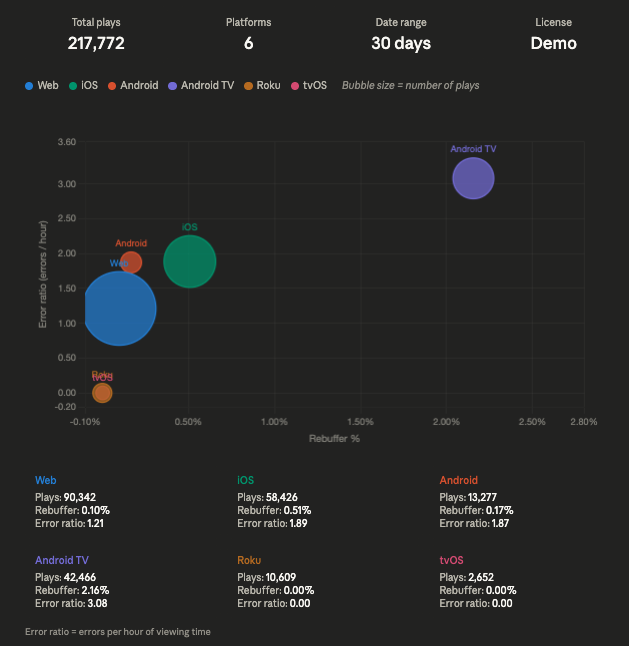
The MCP server also supports rendering interactive charts and visualizations of your data directly alongside your queries.
🧭 What It Does
The MCP server connects your Bitmovin account to your AI assistant. Once configured, you can ask the assistant questions like:
- "What was the 95th percentile video startup time for mobile users in Germany yesterday?"
- "Compare rebuffer percentage by CDN provider across the top 5 countries over the last 7 days."
- "Show me a plot of error rate over the last 7 days."
- "Which browsers have the highest error rate over the past month?"
- "Show me a plot of the video startup time for yesterday."
- "Give me a combined breakdown of total hours watched by device type and operating system for the last week."
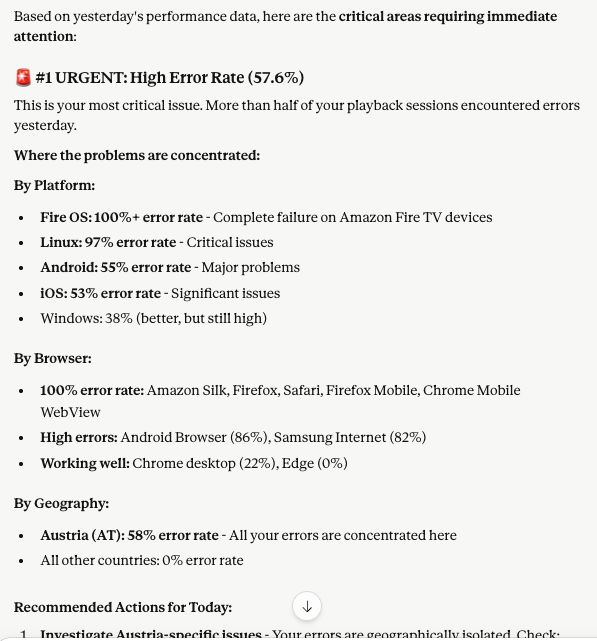
- "Based on data from last week, what do I need to improve this week?"
- "Break down plays by browser over the last 30 days."
- "Analyse impression
abc123— walk me through what happened during that session." - "What are the most frequent error codes this week, and what messages are associated with them?"
- "Which player versions have the highest error rates?"
Behind the scenes, these questions are translated into precise API calls (such as query, queryGroupBy, and analyzeImpression), returning structured analytics data that the assistant can interpret or visualize for you.
The MCP server is hosted on Alpic.
⚙️ Setup Instructions
The instructions below describe setup with Claude, however, the MCP server is compatible with other LLMs which support MCP servers. Please note: if using Claude, a Claude Pro subscription is currently required to use MCP servers.
🤖 Setup in ChatGPT
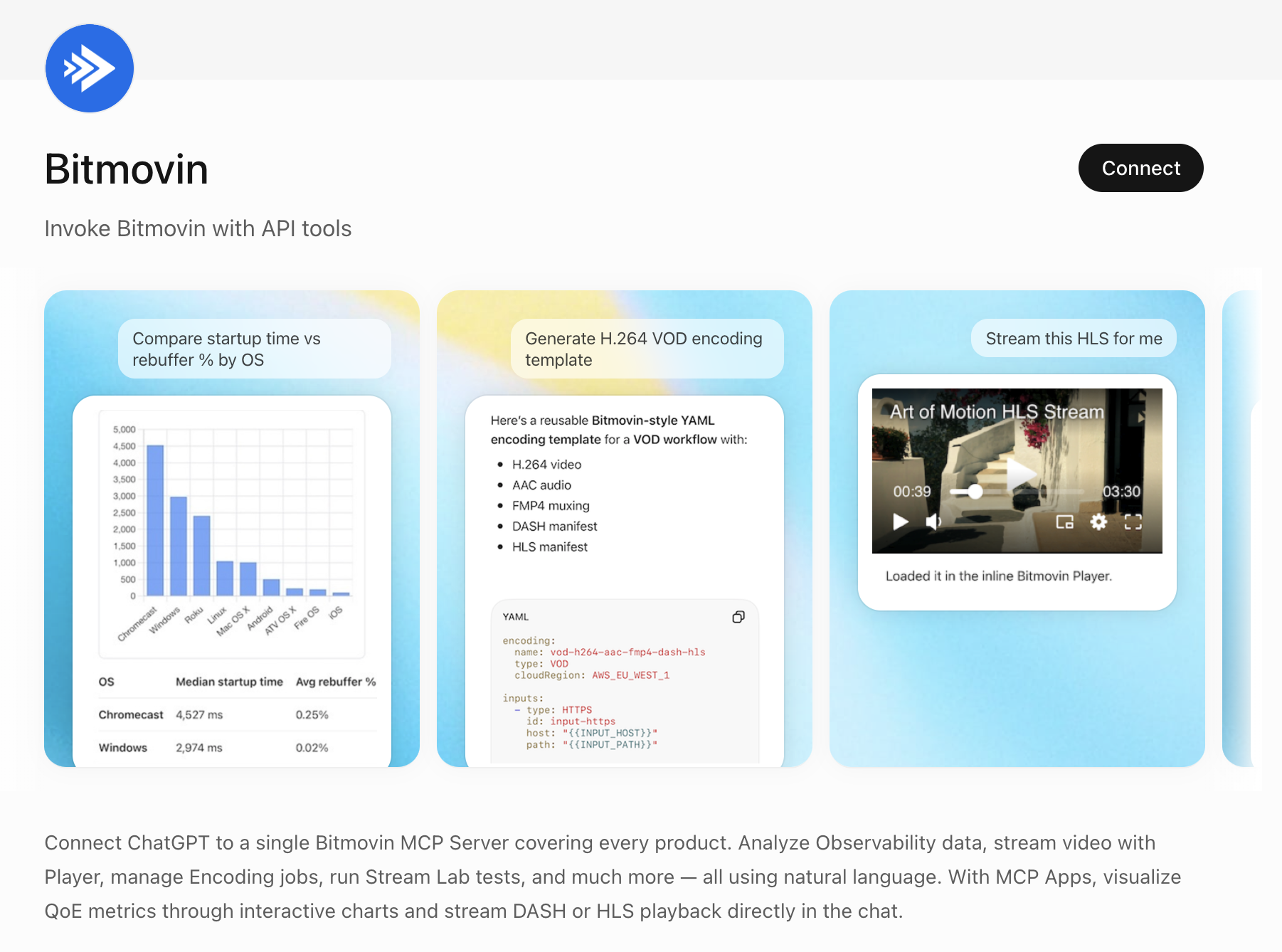
Bitmovin is available as an official app in the ChatGPT Plugins Directory, covering all Bitmovin products including the Observability MCP Server — connect directly without any manual configuration.
- Go to chatgpt.com/plugins
- Search for "Bitmovin" in the search bar
- Click Connect
- Sign in with your Bitmovin account and you can start chatting immediately.
🖥️ Setup in Claude Desktop
To make this server available inside Claude Desktop:
-
Open
~/Library/Application Support/Claude/claude_desktop_config.json -
Add the following entry:
{
  "mcpServers": {
    "analytics-mcp": {
      "type": "stdio",
      "command": "npx",
      "args": [
        "mcp-remote",
        "https://analytics.mcp.bitmovin.com/",
        "--header",
        "x-api-key: <API_KEY>",
        "--header",
        "x-tenant-org-id: <TENANT_ORG_ID>" -- optional only if tenant access is needed
      ],
      "env": {}
    }
  }
}
Note: Claude Desktop requires Node v20 or later to use MCP Servers. You may experience errors if trying to use older Node versions with MCP Servers in Claude Desktop.
🛠️ Setup in Claude CLI
To make this server available inside Claude:
-
Use this command (eg. in Mac Terminal):
claude mcp add -s user analytics-mcp[--org-<org-name>] -- npx mcp-remote https://analytics.mcp.bitmovin.com/ --header "x-api-key: <API_KEY>" --header "x-tenant-org-id: <TENANT_ORG_ID>" -
Verify the setup by running this command:
claude mcp list
🧰 Available Tools
In normal use you don't call these tools directly — Claude selects the right one from your question — but knowing what exists helps you ask better questions.
Query tools
| Tool | What it does |
|---|---|
query | Queries a metric over a time range as a time series and renders a chart. Best for trends ("over the last 7 days", "yesterday by hour"). Bucket size is chosen automatically. |
queryTotal | Returns a single aggregated value (one number, no chart) for a metric over a time range. Best for "total plays last month", "average startup time yesterday", "p95 rebuffer last week". |
queryGroupBy | Breaks a metric down by one or more categories (e.g. by browser, country, CDN, error code). Best for rankings and comparisons. |
Session inspection tools
| Tool | What it does |
|---|---|
getImpressionOverview | Returns a single playback session's static properties (device, location, player) and aggregated metrics (played time, buffering, video quality), identified by an impressionId. |
analyzeImpression | Deep-dive on a single session: static properties, aggregated metrics, a state-transition timeline, and an AI-generated interpretation of session quality. Use for detailed single-session troubleshooting. |
Discovery tools
| Tool | What it does |
|---|---|
peekAllLicenses | Lists available licenses with recent play counts and percentage distribution. Used to resolve "biggest"/"most active" licenses. |
getAvailableMetrics | Lists all queryable metrics and their supported aggregations. |
getAvailableFilters | Lists all filter attributes and their supported operators. |
📈 Available Metrics
Metrics are referenced by keyword. Each has a default aggregation; some support alternatives.
| Metric | Keyword | Aggregations (default) |
|---|---|---|
| Plays (successful sessions) | plays | count |
| Play attempts | play_attempts | count |
| Unique users | unique_users | count |
| Total hours watched | total_hours_watched | sum |
| Video startup time | video_startuptime | average, median (default), percentile |
| Error percentage | error_percentage | average |
| Error ratio | error_ratio | average |
| Error sessions | error_sessions | count |
| Error count | error_count | count |
| Samples | samples | count |
| Rebuffer percentage | rebuffer_percentage | average |
| Average video bitrate | video_bitrate | average |
| Max concurrent viewers | max_concurrent_viewers | count |
| Avg concurrent viewers | avg_concurrent_viewers | count |
| Playback score | playback_score | average |
| Startup score | startup_score | average |
| Smoothness score | smoothness_score | average |
| Success factor | success_factor | average |
Quality-of-Experience scores
playback_score,startup_score, andsmoothness_scoreare 0–100 scores summarizing overall experience, startup, and playback smoothness respectively.success_factoris the ratio of successful sessions to play attempts as a 0–100 value. Ask things like "What's our playback score trend this month?"
Error metrics require an error-code filter
error_sessionsanderror_countmust be queried with anerror_codefilter — e.g.ne 0(any error),eq <code>, orin [<codes>].
🔎 Filtering
Queries can be filtered and grouped by a wide range of attributes. Ask Claude "what can I filter by?" (it calls getAvailableFilters) for the authoritative, up-to-date list. Supported operators per attribute vary: eq, ne, in, contains, gt, gte, lt, lte.
Highlights:
- Audience & geo:
country,region,city,isp,ip_address,language,domain,path - Device & platform:
device_class,device_type,operatingsystem,operatingsystem_version_major,platform,browser,browser_version_major,screen_width,screen_height - Player:
player,player_key,player_tech,player_version - Content & streaming:
video_id,video_title,video_duration,stream_format,is_live,m3u8_url,mpd_url,prog_url - Codecs & bitrate:
video_codec,audio_codec,supported_video_codecs,video_bitrate,audio_bitrate - Quality & playback state:
startuptime,video_startuptime,dropped_frames,paused,is_muted,autoplay,size(FULLSCREEN/WINDOW),video_playback_width/_height,video_window_width/_height - DRM:
drm_type,drm_load_time - Casting:
is_casting,cast_tech - Errors & startup failures:
error_code,error_message,videostart_failed,videostart_failed_reason(PLAYER_ERROR / TIMEOUT / PAGE_CLOSED / UNKNOWN) - Experiments & identity:
experiment_name,user_id,custom_user_id - Custom data:
custom_data_1…custom_data_50
🚧 Limitations
- You cannot query for the count of sessions where the sum of a time measurement (pause, buffering, etc.) exceeds a threshold. You can query the count of individual time measurements above/below a threshold (e.g. "pauses longer than 3 minutes").
- Time-series queries auto-select the bucket size to stay within a reasonable number of datapoints; there is no manual interval control.
- Session inspection tools (
getImpressionOverview,analyzeImpression) operate on a singleimpressionIdand do not accept time ranges.
📊 Usage Limits
MCP server usage contributes towards your overall usage of our API and rate limits apply. If you're planning to make a high volume of requests (eg. >100 per minute), or you run into rate limiting, please contact us.
👀 Example Outputs
Claude
Updated 2 months ago